Pay Education Fees Online -
Fast • Secure • Smooth Payments
Pay school fees, college fees, or tuition fees in seconds via multiple payment methods like credit card and manage expenses easily with a 45-day interest-free window.
100% Secure Payment




How GimBooks Pay Simplifies Education Fee Payment
Paying education fees got simpler with GimBooks Pay especially with credit card payments.

- 1
Smooth and Convenient Payments:
Enjoy a smooth education fee payment experience in 3 clicks via credit card from anywhere, anytime.
- 2
Flexible payment options:
Pay the education fee via multiple payment methods, like UPI, cards, net banking, and wallets.
- 3
Low & transparent fees:
Know the low convenience charge upfront. No surprises, pay only the charges you see at the time of making the transaction.
- 4
Instant Settlements:
Pay education fees using your credit card instantly and enjoy up to 45 days of zero-interest credit.
- 5
Build Credit History:
Enjoy a smooth education fee payment experience in 3 clicks via credit card from anywhere, anytime.
- 6
Secure & trusted payments:
Bank-grade security and AES 256-bit encrypted transactions for education fee payers.
4 Steps to Easy Education Fees Payment
-
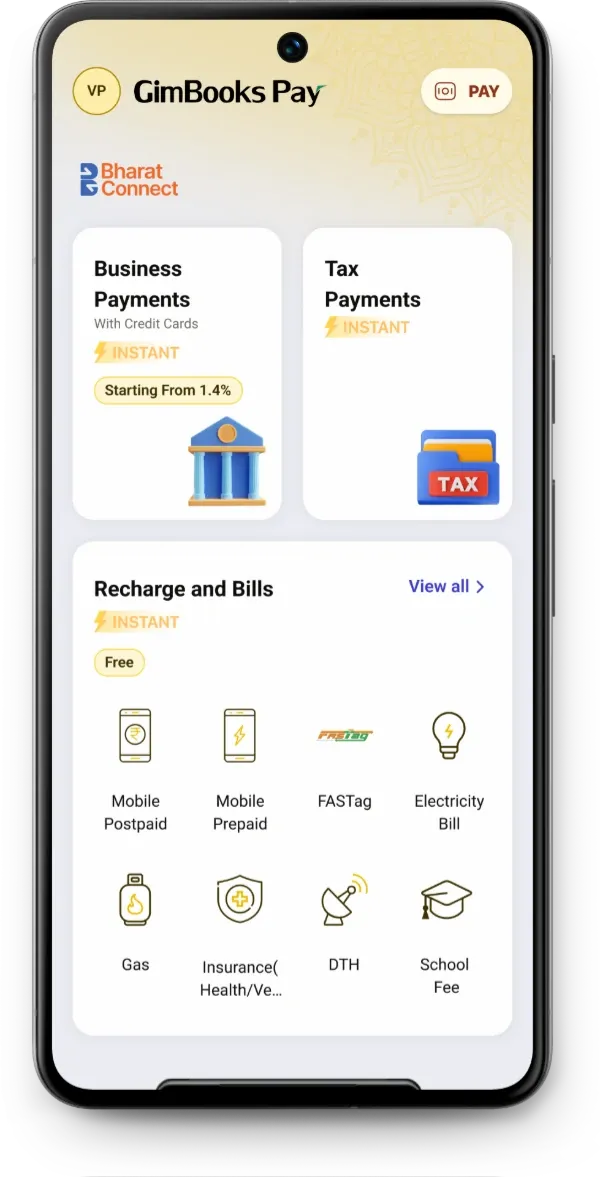 1
1Select Category
Select school fees category.
-
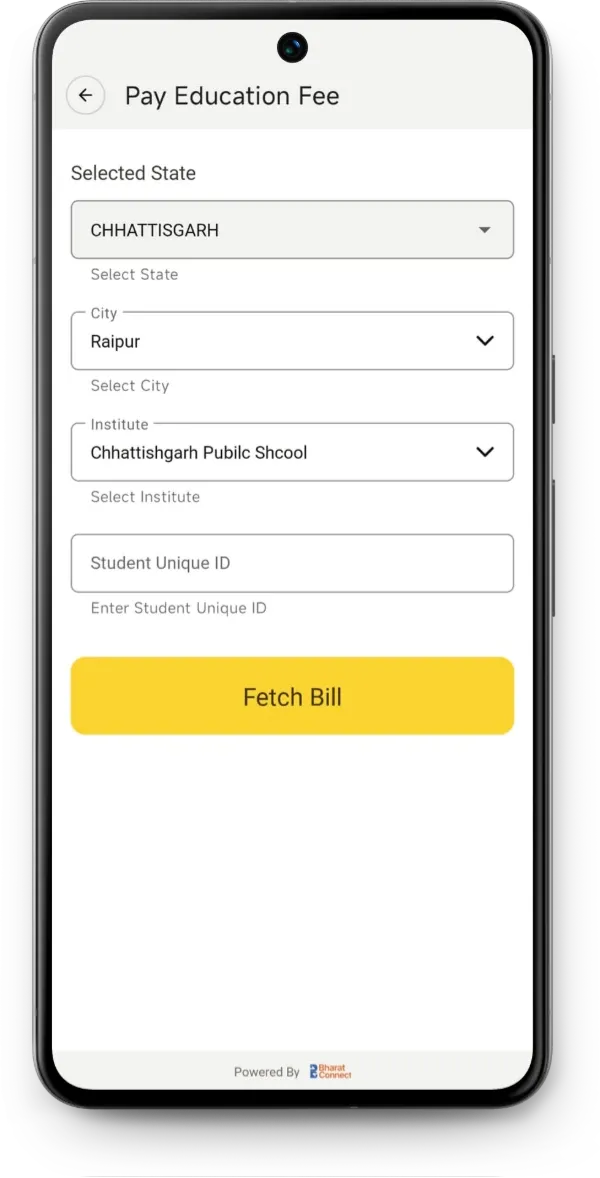 2
2Select Institution & Enter Details
Choose school/college or paste payment link.
-
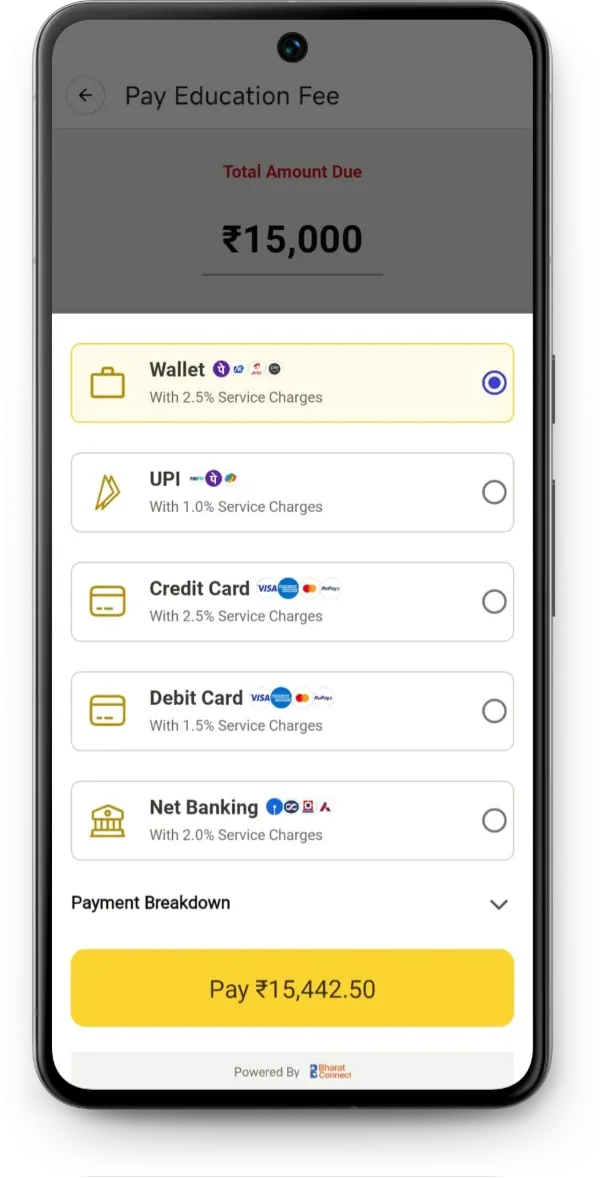 3
3Choose Payment Method
UPI, card, netbanking, wallet or EMI.
-
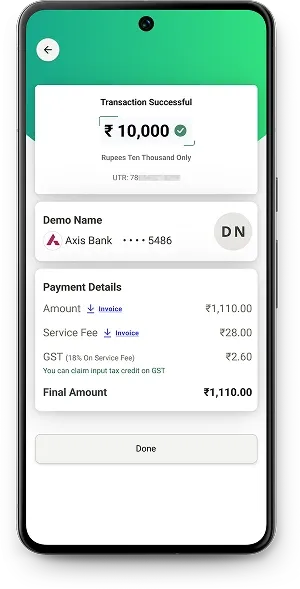 4
4Pay Fee Successfully
Select school fees category.
Ready to pay or collect fees?
Pay tuition fees online - fast • secure • flexible
Save time, avoid queues, and get 45-day free credit when you use multiple payment methods like- credit card.
Pay Fees Now

Frequently Asked Questions
How long until the payment reflects at the school?
Payments via UPI/cards/netbanking reflect instantly. Settlement time varies for institutions.
Is my payment secure?
Yes, GimBooks Pay uses AES 256-bit industry-standard encryption and secure checkout.
What payment methods are supported?
UPI, cards, net banking, wallets, and EMI (where available).
What are GimBooks Pay’s education fee charges and pricing?
GimBooks Pay maintains transparency and low education fee charges.
How to pay education fees through a credit card on the GimBooks Pay app?
Step-by-step process of paying the education fee via GimBooks Pay: 1. Verify your account. 2. Click >> View All in Recharge and Bills >> Home & Utility Bills>> School Fees to make the education fee payment. 3. Click on State, and select School / Institute / College. 4. Then add credit card details and pay education fees quickly.
What are the benefits of paying education fees with a credit card using GimBooks Pay?
Benefits of paying education fees via GimBooks Pay include low and transparent convenience charges, multiple payment methods for a smooth payment experience, instant payment confirmation, and tracking.
How do I avoid extra processing fees when paying tuition fees?
When you use GimBooks Pay, charges are displayed before making payment, hence helping you avoid extra processing fees when paying tuition fees.